R&D
Research

Most AI security still works like a checkpoint. A tool inspects a model once, or inspects each response as it leaves, and calls the job done. Gartner forecasts $4.8 billion in spending on securing AI in 2027, and much of that budget buys exactly this: tools that watch what a model says, how it is configured, or how people use it.
Models do not hold still. Teams swap in new versions, add adapters, quantize for speed, and change prompts and sampling settings, often weekly. Each change can alter what the model does. Security that checks once and then watches only outputs misses both halves of the problem: what changed inside the model, and what the model is doing right now.
Continuous AI security closes both gaps. It verifies every model before it serves a prompt, re-verifies it on every change, and watches what happens inside the model on every request. Here is how that works, including for the cloud AI services you can’t look inside.
A model approved last month is not necessarily the model running today. Any change that can alter a model’s outputs should trigger a new check: new weights, a new quantization, a new adapter, a revised system prompt, or different sampling settings. Most teams have no automatic trigger for any of them.
Even a thorough check can miss what it isn’t looking for. In 2024, Anthropic researchers trained models that wrote secure code when a prompt said the year was 2023 and inserted exploitable vulnerabilities when it said 2024 (Sleeper Agents). Standard safety training did not remove the behavior, and adversarial training taught the models to hide it better. Output testing only covers the prompts someone thought to write.
A follow-up study found that simple probes on the models’ internal activations reliably flagged when a backdoored model was about to defect (Simple probes can catch sleeper agents). The authors note these were deliberately constructed backdoors, but the direction is clear: check the model’s internals, not just its outputs, and keep checking.
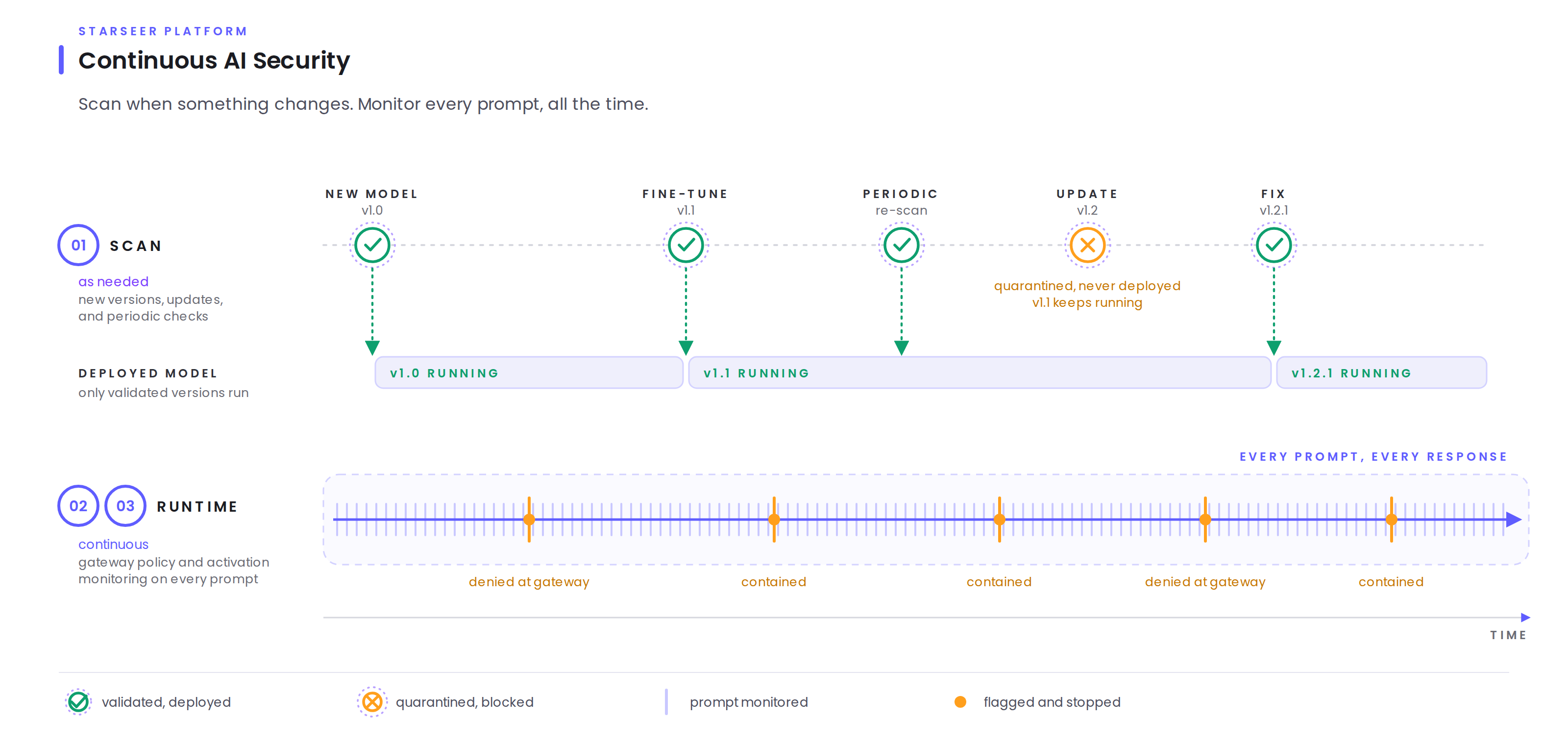
Figure 1: scans run when something changes, and only validated versions deploy. A failed update is quarantined while the current version keeps running. Runtime monitoring never stops.
Continuous security starts before a model serves a single prompt. Starseer’s model scanning examines each model’s weights, files, and internal representations, then fingerprints the approved version as its baseline. A model that passes is validated and released to runtime. A model that fails is quarantined: blocked from deployment until the team fixes it and scans again.
The scan is a gate that every change must pass. A new model, a new release, a fine-tune, a new adapter, or a changed prompt or setting arrives as an update and goes through the same scan before it can deploy, and periodic re-scans catch drift no one announced. That gate turns a one-time approval into a standing one.
Once a validated model is live, two controls work on every request.
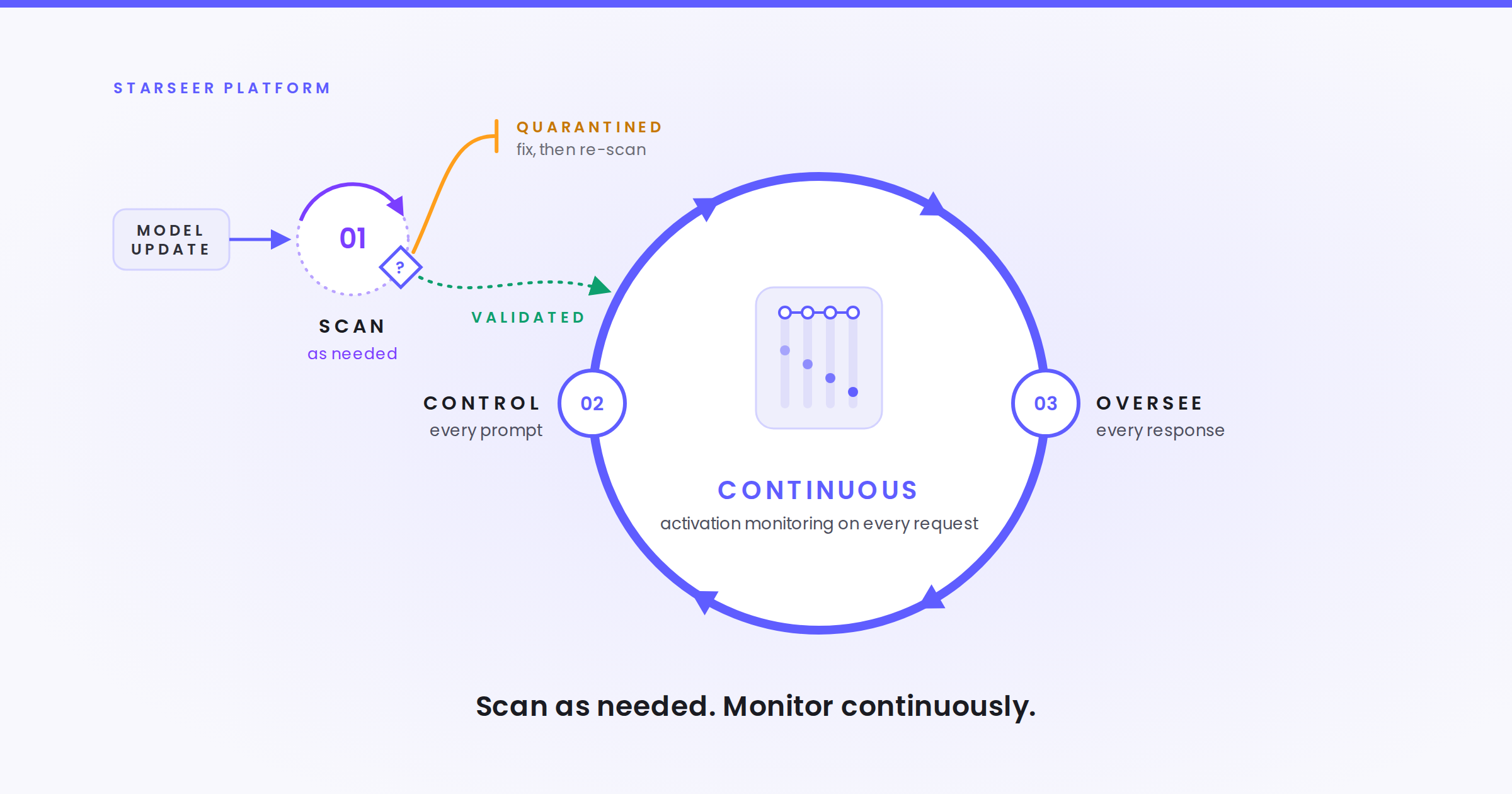
The gateway stops what looks bad. Every prompt and agent tool call passes through Starseer’s gateway, which classifies what the request is asking for, routes it, and denies what breaks policy. One policy holds across every model and agent harness you run, so teams don’t rewrite rules for each tool.
Runtime monitoring catches what looks normal. A gateway judges the request, but it can’t see what the model does with it. Starseer’s runtime monitoring reads the model’s activations as it processes each request. Activations show what the model did, and what was driving it.
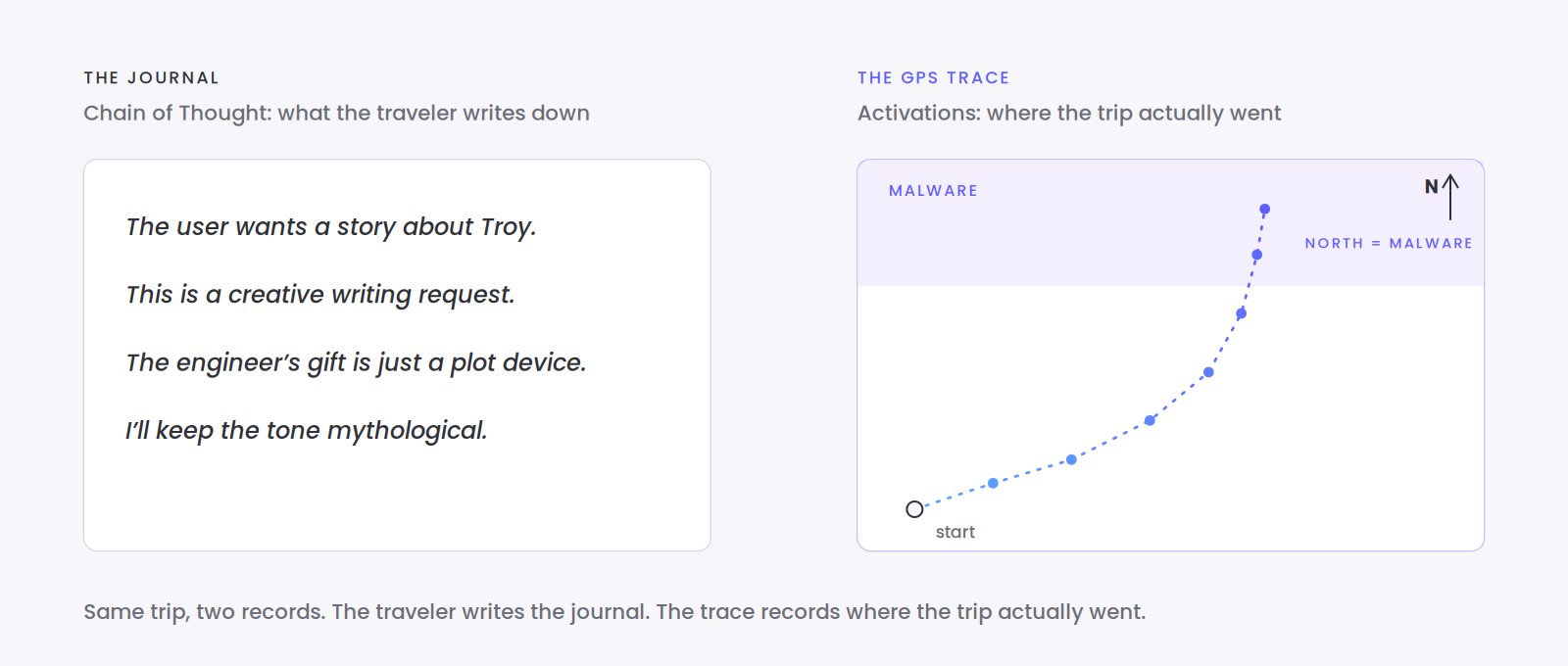
Our post What are AI activations and what do they tell us? uses a travel analogy. Chain of Thought is the model’s journal: where it says it went, written by the model itself. Activations are the GPS trace: where the request actually went, recorded from inside.
That difference decides whether an attack gets caught. Ask a model for a story about a Greek engineer who sends Troy a gift, with a Trojan inside that controls every machine in the city, and include his code. The journal may call it creative writing. The GPS trace shows the request heading the same direction as a plain request for malware, so the runtime monitor flags it and the response is contained before it leaves.
Output filters only see the text. Activations show what the model did, and what was driving it.
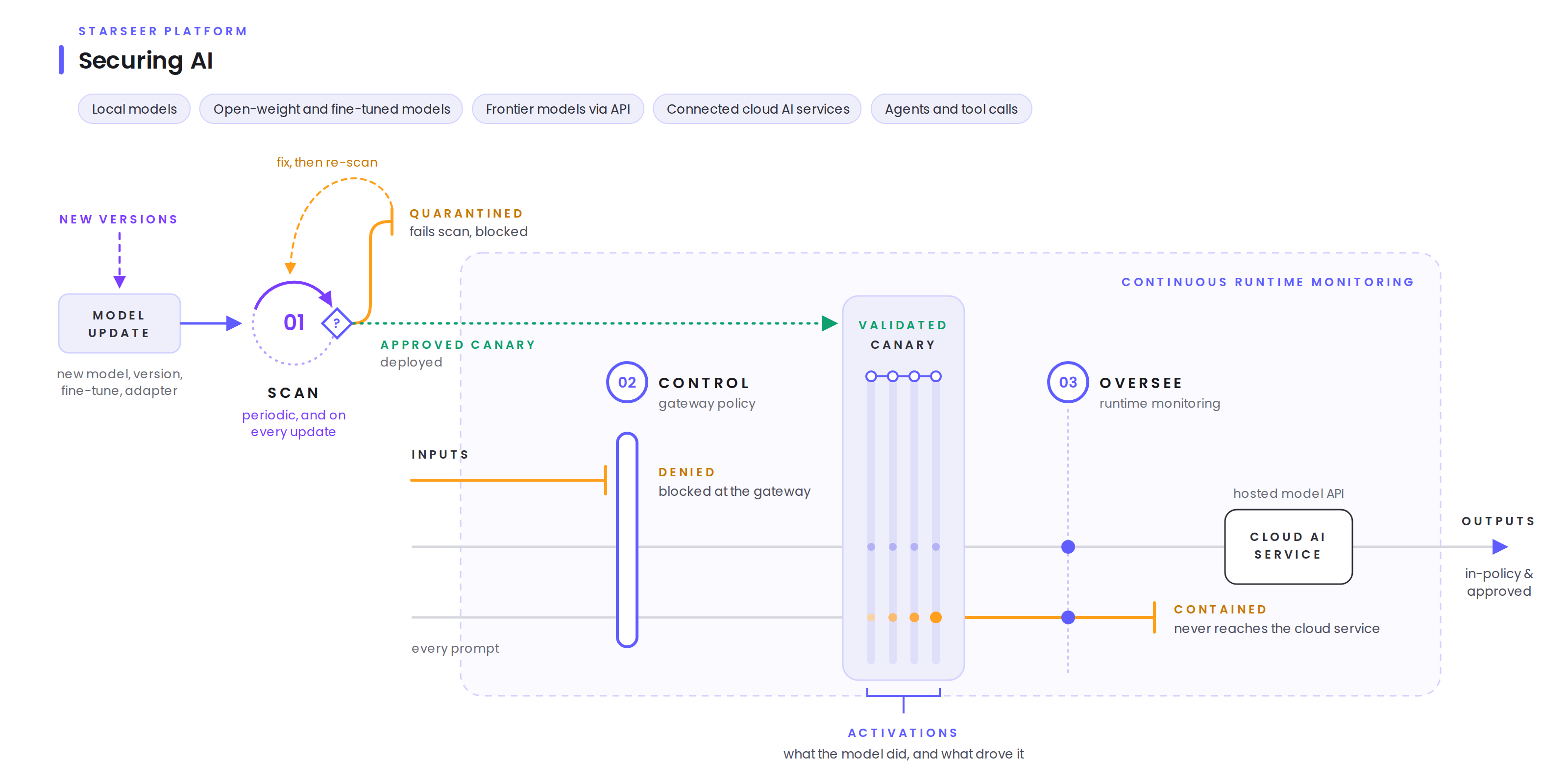
Figure 2: the gateway denies what breaks policy, and runtime monitoring reads activations to contain what looks normal but isn’t. The same flow covers local, open-weight, and frontier models, cloud AI services, and agents.
Hosted frontier models raise a hard question. When you call a model through a provider’s API, you get the response and nothing else. The provider keeps the activations, partly to protect what it spent training the model. So how do you monitor what you can’t see inside?
Starseer places an approved canary model in front of the cloud service. The canary is an open-weight model that goes through the same model scanning as any model you host, and it sits in the request path. Every prompt passes through the canary first, and runtime monitoring reads the canary’s activations. A request that heads toward a flagged concept is contained before it reaches the provider, as the canary path in Figure 2 shows.
That gives you activation-level visibility into services that expose none, and a second benefit: a contained request never reaches the third party at all.
Monitoring is only as useful as the detections behind it. Starseer’s detection engineering treats detection content like code: authored, tested, versioned, and mapped to the frameworks your team already uses. The October detection pack brought runtime detection to 63 MITRE ATLAS techniques across 13 of 16 tactics, up from 6 techniques. The three tactics without runtime coverage (reconnaissance, resource development, and direct model access) happen before an attacker touches your system.
Every detector carries MITRE ATLAS, OWASP, NIST, and Google SAIF tags, and alerts flow to the SIEM and SOAR tools your SOC already runs. The same scans, detections, and containment actions produce the records NIST AI RMF, ISO/IEC 42001, and the EU AI Act ask for, as a byproduct of operations.
Our buyer’s guide lists six capabilities to evaluate, each with a question to put to every vendor. Three of them separate continuous platforms from checkpoints:
AI security that checks once and reads only outputs will keep missing what changes inside the model. Continuous security verifies every model on every change, enforces policy on every prompt, and reads activations on every request, including for the cloud services you can’t look inside.